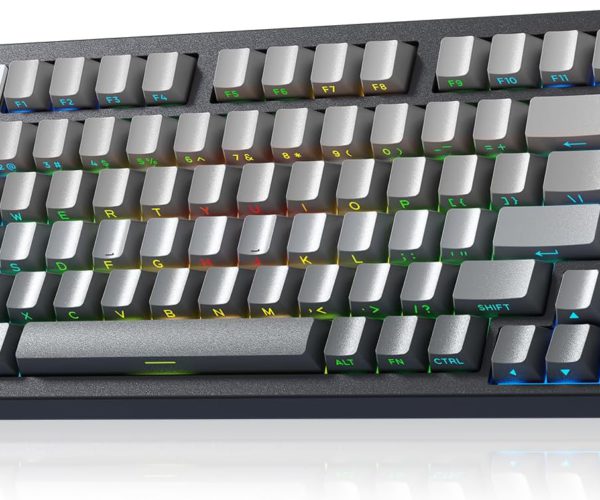
When typing on a computer, you use more than just letters and numbers—you also use special keyboard symbols every day. From the @ symbol in your email address to the # hashtag on social media, these characters are essential for writing, programming, and online activities.
In this article, we’ll explore the most common computer keyboard symbols and their names, along with their everyday uses.
List of Keyboard Symbols and Their Names
1. Exclamation Mark (!)
-
Shortcut: Shift + 1
-
Use: Emphasis, excitement, urgency
2. At Symbol (@)
-
Shortcut: Shift + 2
-
Use: Email addresses, online usernames
3. Hashtag or Pound Sign (#)
-
Shortcut: Shift + 3
-
Use: Social media hashtags, numbering, coding
4. Dollar Sign ($)
-
Shortcut: Shift + 4
-
Use: Currency, finance, programming
5. Percent Sign (%)
-
Shortcut: Shift + 5
-
Use: Percentages, statistics
6. Caret (^)
-
Shortcut: Shift + 6
-
Use: Exponents in math, coding
7. Ampersand (&)
-
Shortcut: Shift + 7
-
Use: Means “and,” used in coding
8. Asterisk (*)
-
Shortcut: Shift + 8
-
Use: Multiplication, footnotes, wildcards
9. Parentheses ( )
-
Shortcut: Shift + 9 and Shift + 0
-
Use: Grouping words or equations
10. Hyphen (-) / Underscore (_)
-
Shortcut: Hyphen key / Shift + Hyphen
-
Use: Word connection, filenames, coding
11. Equal (=) and Plus (+)
-
Shortcut: Equal key / Shift + Equal
-
Use: Math operations, formulas
12. Brackets [ ] / Braces { }
-
Shortcut: Keys beside P
-
Use: References, programming
13. Backslash () / Vertical Bar (|)
-
Shortcut: Key above Enter
-
Use: File paths (Windows), “or” in logic
14. Semicolon (;) / Colon (:)
-
Shortcut: Key beside L
-
Use: Writing, separating clauses
15. Quotation Marks (” “) / Apostrophe (‘)
-
Shortcut: Quote key
-
Use: Speech, contractions, quotations
16. Comma (,), Period (.), Question Mark (?)
-
Shortcut: Lower-right keys
-
Use: Sentence punctuation
17. Less Than (<) / Greater Than (>)
-
Shortcut: Shift + , and Shift + .
-
Use: Comparisons, coding
18. Forward Slash (/)
-
Shortcut: Key beside Shift
-
Use: Web addresses, fractions
19. Tilde (~)
-
Shortcut: Shift + `
-
Use: Approximation, shortcuts, coding
20. Grave Accent (`)
-
Shortcut: Key with tilde
-
Use: Coding, shortcuts in software
Why It’s Important to Learn Keyboard Symbols
-
✅ Helps improve typing speed and accuracy
-
✅ Essential for email, online communication, and social media
-
✅ Crucial for programming and coding
-
✅ Useful in math, finance, and technical writing
Conclusion
Computer keyboard symbols may look simple, but they are powerful tools in digital communication. Knowing their names and uses will make you more efficient in typing, coding, and navigating the internet.
If you’re new to computers or teaching digital literacy, this list is a must-have reference for beginners.